15 Product Photography Ideas for Small Brands (With AI Examples and Prompts)
Fifteen product photo ideas that work on social and product pages, from flat lays to floating ingredients. Eight come with an example we generated on a real product and the exact prompt, so you can shoot it yourself or make it with AI.
 Moss6 min read
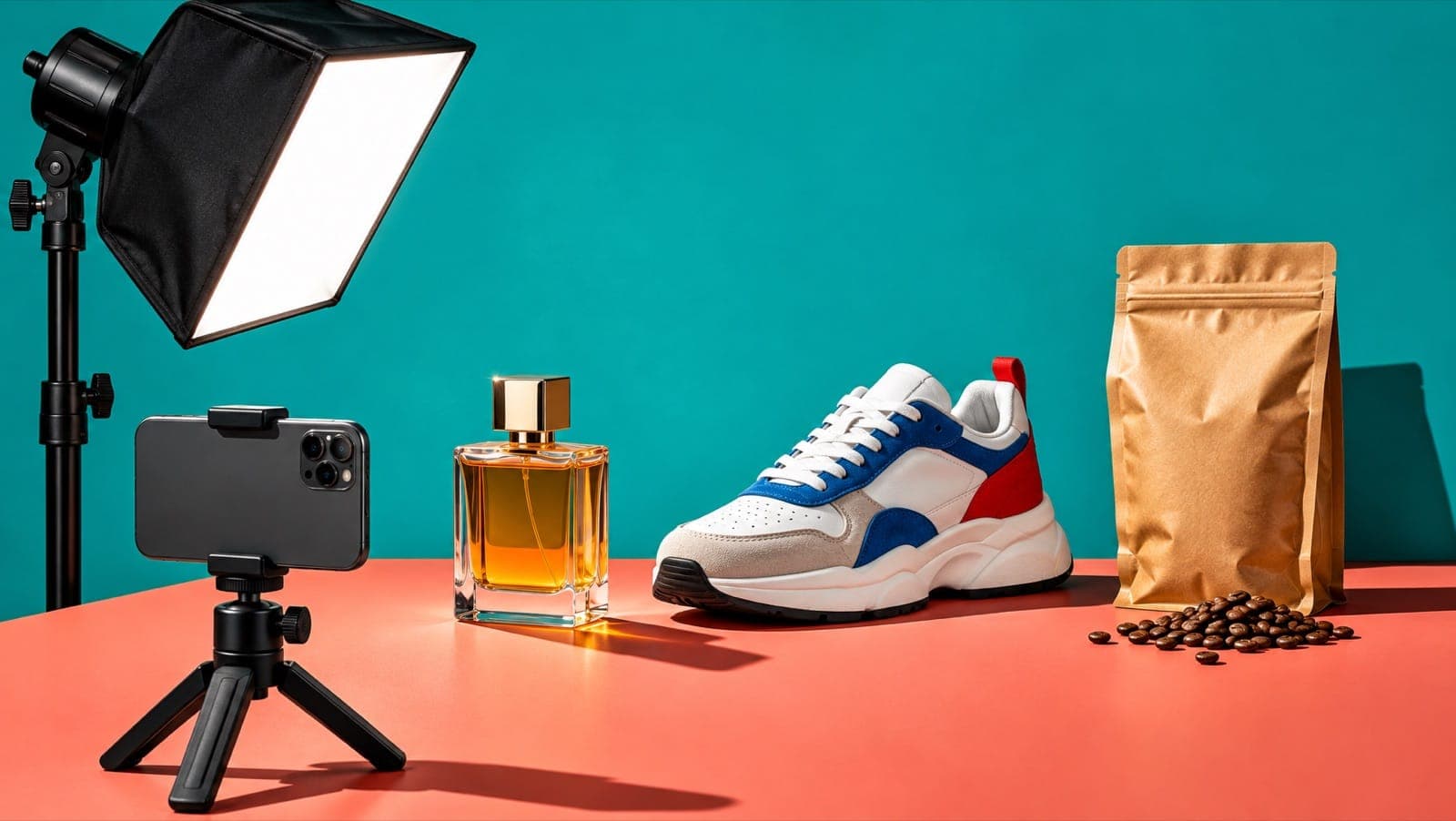
The best product photography ideas for small brands show the product in context: in use, at an unexpected scale, surrounded by what it's made of, or in a setting that matches the buyer's life. A plain white-background packshot is still essential for product pages, but on Instagram, TikTok and in ads the photos that perform give people a feeling or a story. Below are 15 ideas; eight have an example we generated with AI on a real product, plus the prompt.
Key takeaways
- Have one clean packshot per product, then build 4–6 context shots around it.
- The ideas that stop the scroll most often: scale play, in-use, macro texture, floating ingredients and colour blocking.
- Every example below was made with AI (GPT Image 2.6) from a text prompt, and the labels came out right. For your own products, add 2–4 real product photos as references.
- Keep a consistent look (light, colour, props) across your feed so it reads as one brand.
1. Flat lay
Shoot from directly above with the product and a few props that tell its story. Easy, cheap and great for carousels.
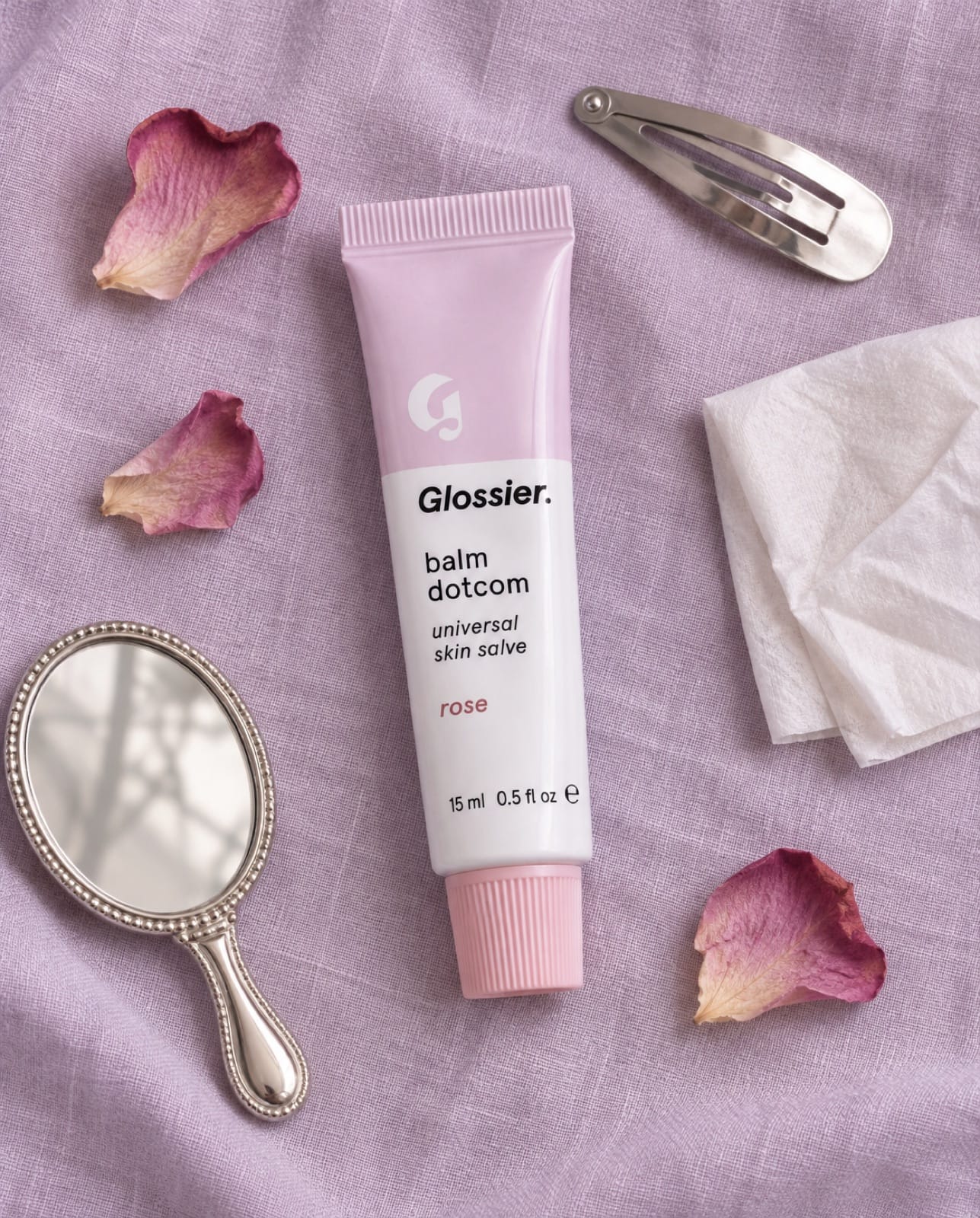
Overhead flat lay product photo of a Glossier Balm Dotcom tube on a soft lilac linen background, arranged with a few dried rose petals, a silver hair clip, a mini mirror and a folded tissue, even soft daylight, clean editorial styling, label legible.
Tip: use 3–5 props in odd numbers, all in the product's colour family.
2. Giant product (scale play)
Make the product huge in a real place. It's impossible to scroll past and very shareable.
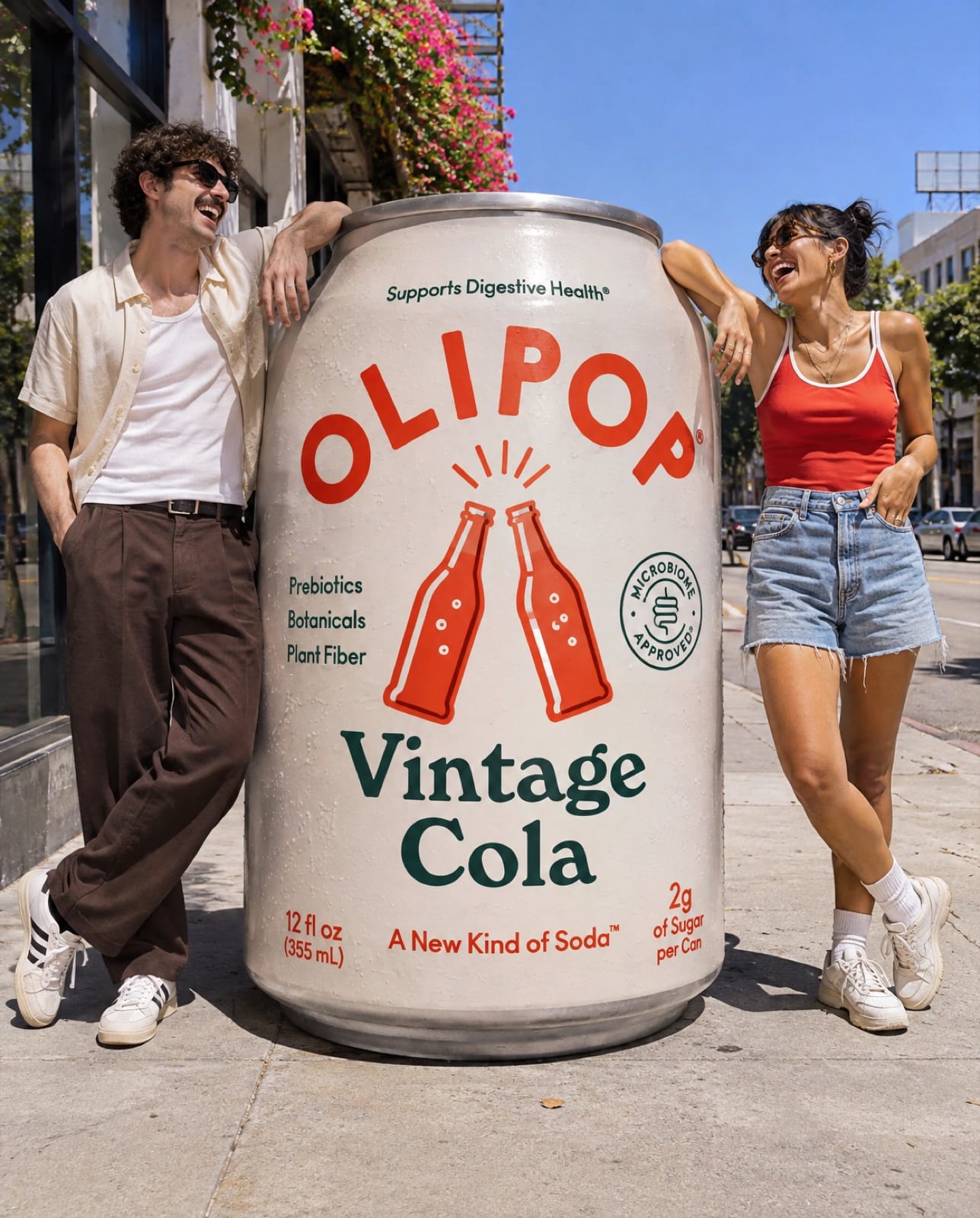
Playful scale product photo: a giant Olipop Vintage Cola can the size of a person standing on a sunny city sidewalk, two people leaning on it laughing, bright blue sky, hard summer sunlight, realistic photography, can label legible.
Tip: this one is almost impossible to shoot for real on a small budget, which is exactly why AI is useful for it.
3. Macro texture
Get close enough to show what the product feels like: a serum drop, cream swirl, fabric weave, coffee grounds.
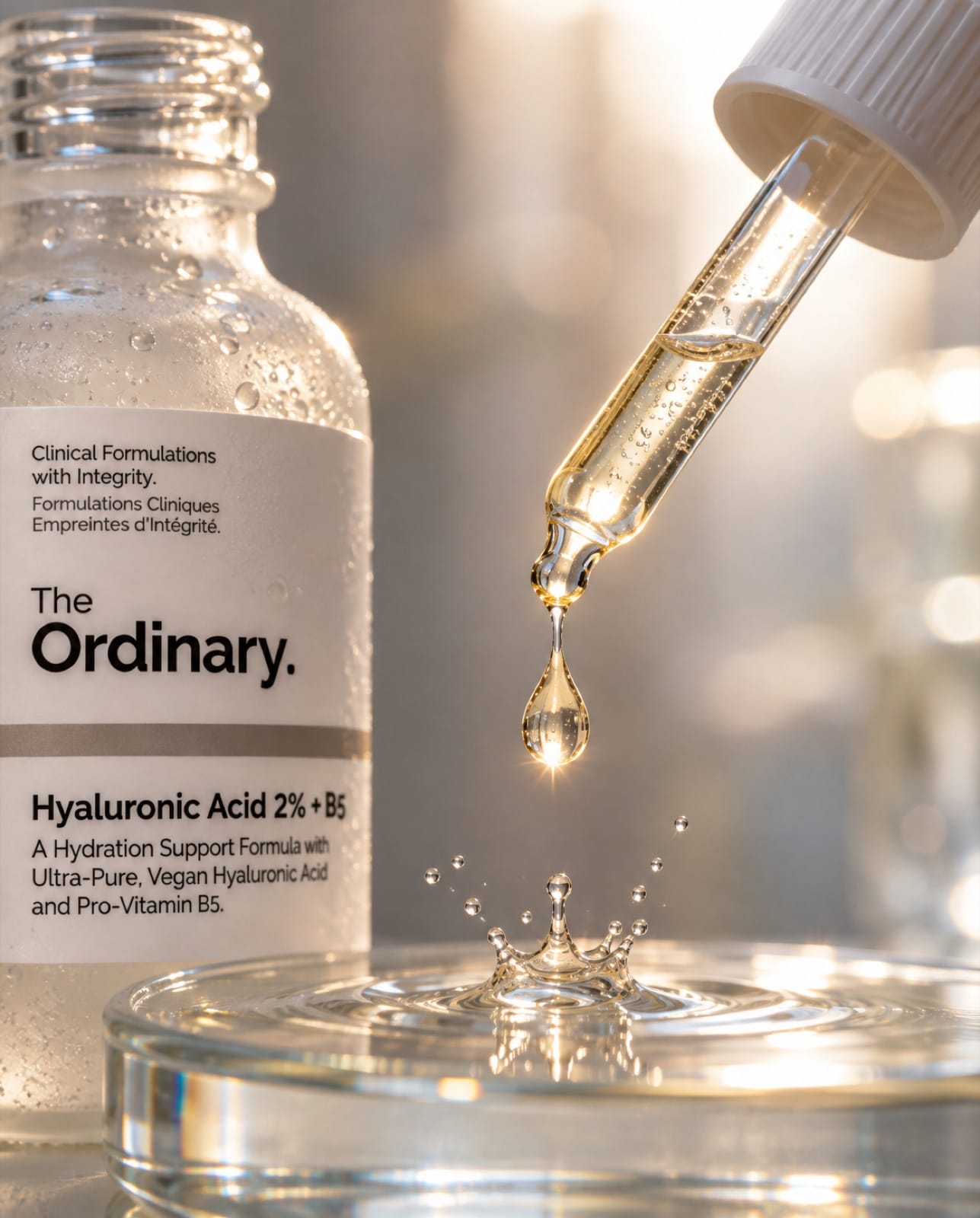
Macro product photo: a single golden drop of serum falling from the dropper of an Ordinary Hyaluronic Acid 2% + B5 bottle, the drop caught mid-air with a tiny splash on a glass surface below, backlit, shallow depth of field, crisp commercial macro photography, label partly visible.
4. In use
Show the product doing its job, with a hand or person in frame. This is the shot that answers "what's it like to own this?"
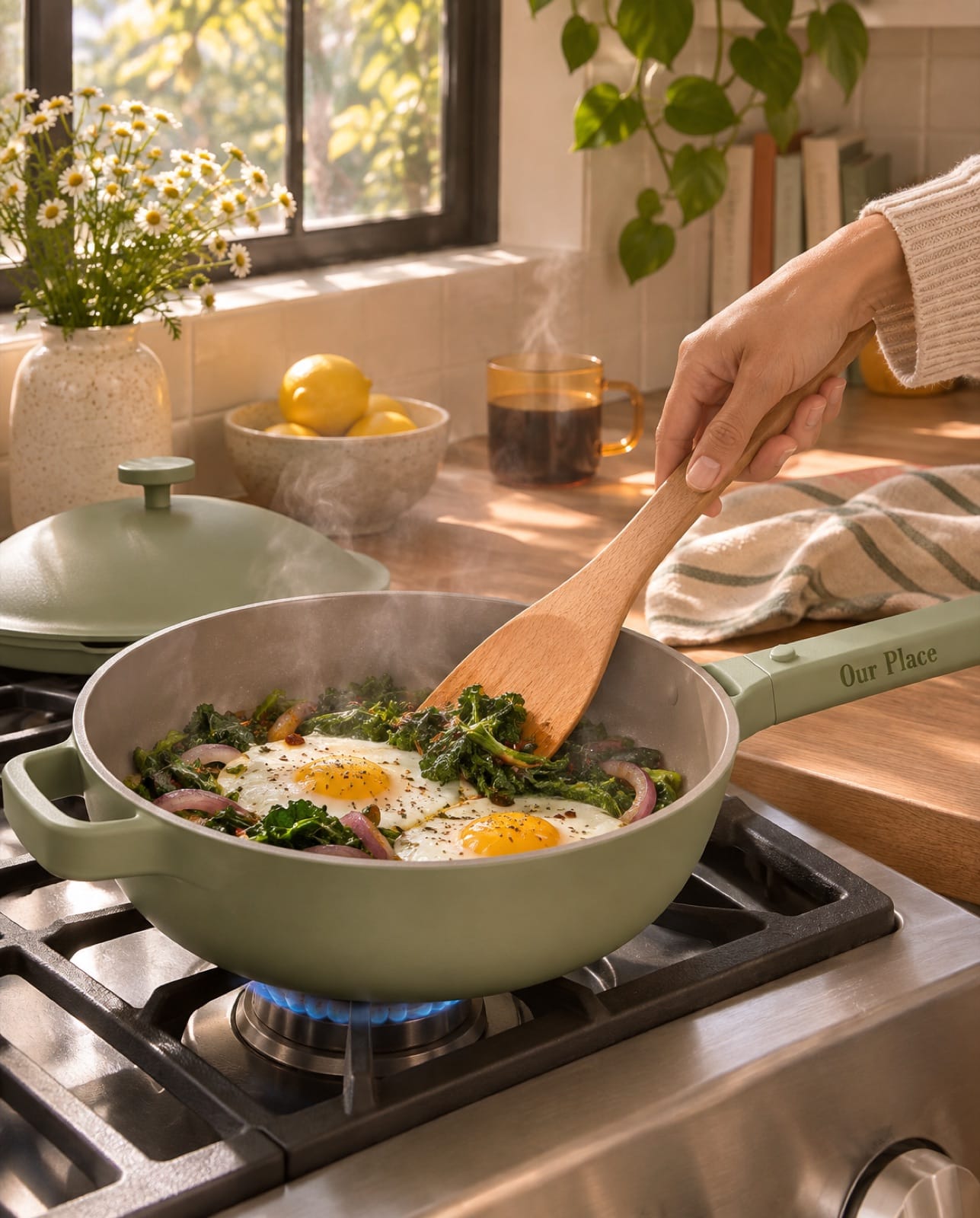
Lifestyle product photo of an Our Place Always Pan in sage green on a gas stove in a warm home kitchen, eggs and greens cooking in it, a hand holding a wooden spatula, morning light through a window, steam rising, realistic editorial photography, brand logo on the handle visible.
5. Colour blocking
Match the background, props and plinth to the product's colour. Bold, simple and very "feed-friendly".
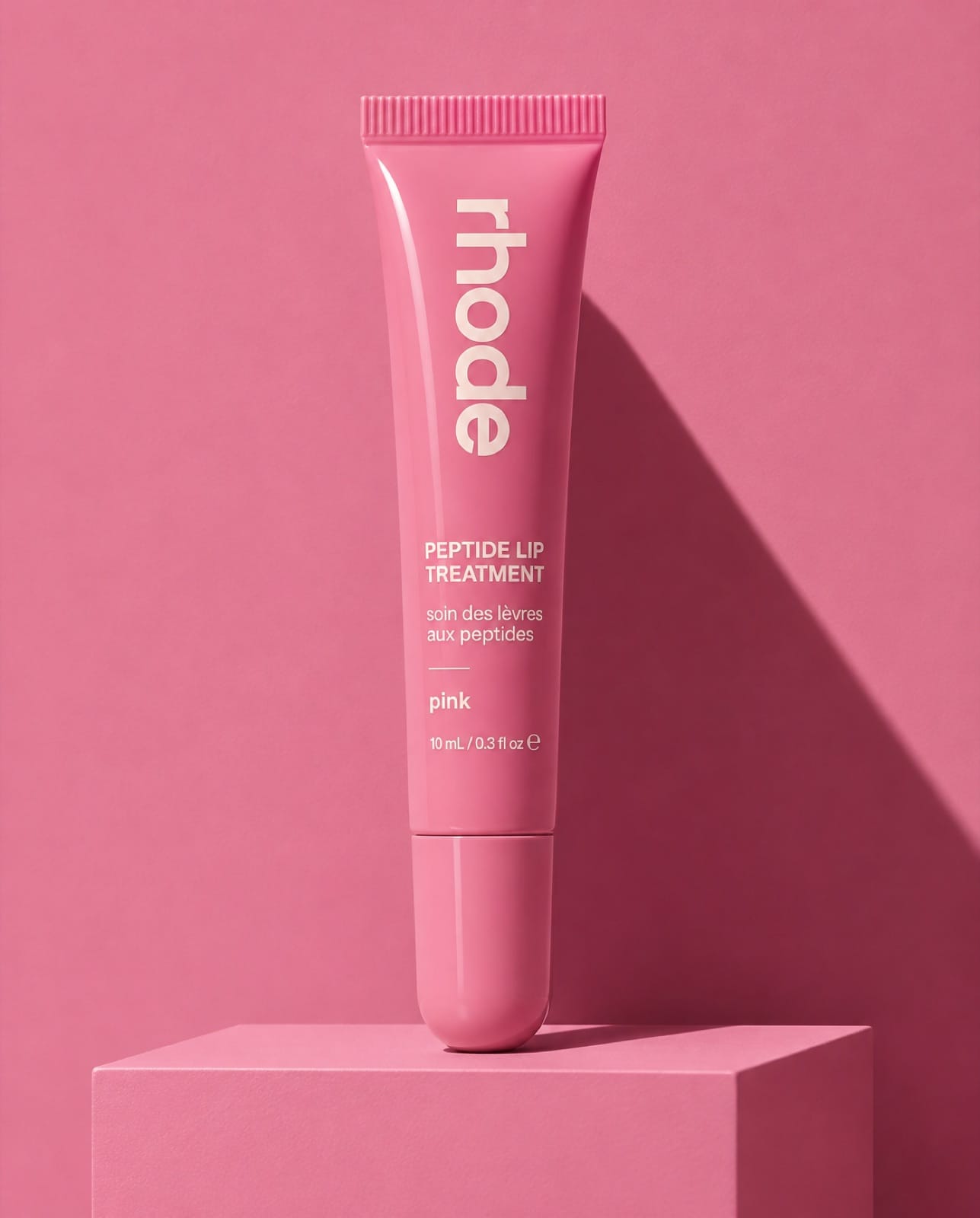
Color-blocked product photo: a Rhode Peptide Lip Treatment tube in its pink shade standing on a pink plinth against a matching pink wall, one hard shadow falling diagonally, monochrome pink set design, crisp commercial photography, label legible.
6. Floating ingredients
Show what's inside: the product surrounded by its ingredients or flavours in mid-air.
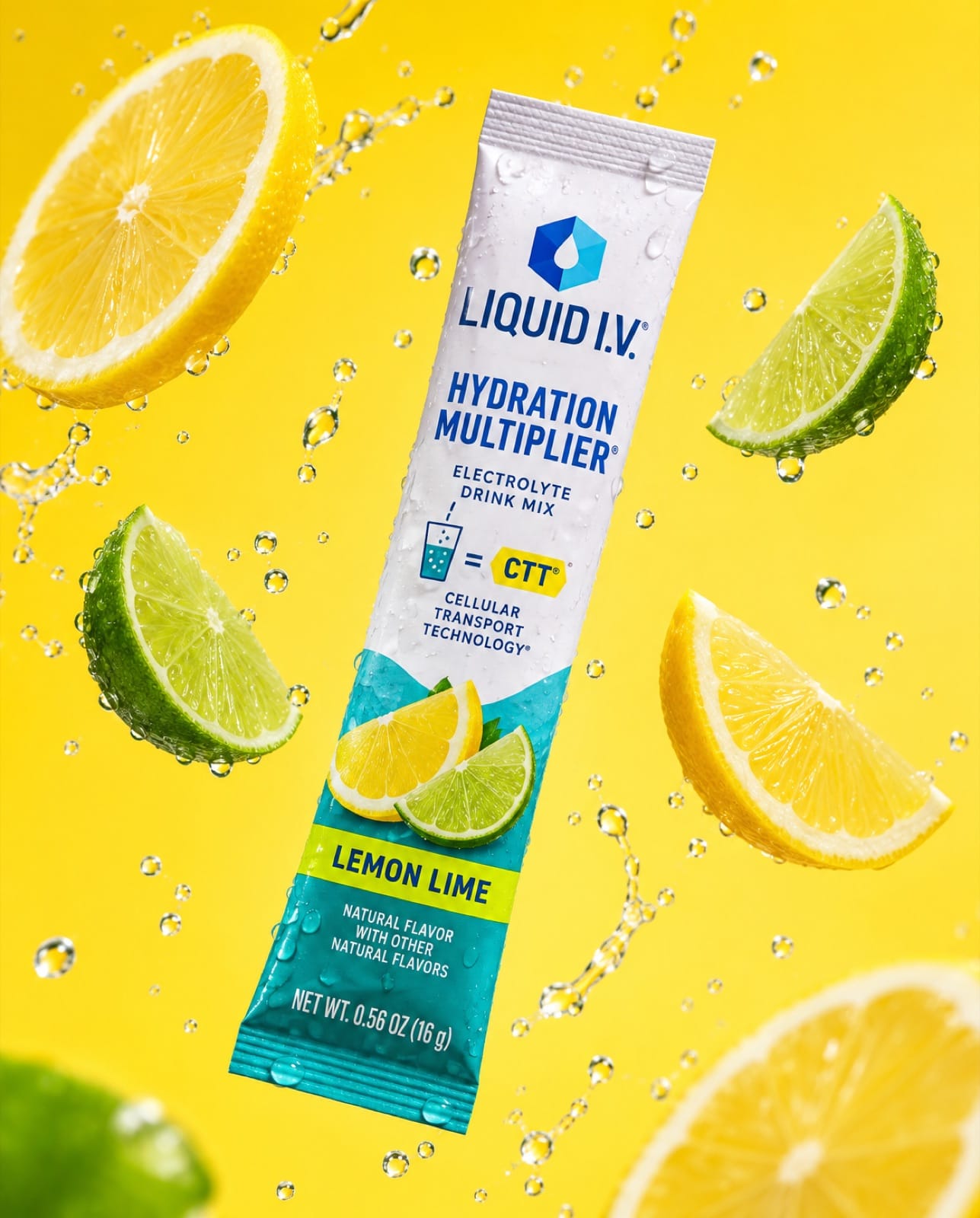
Floating ingredients product photo: a Liquid I.V. Hydration Multiplier lemon lime stick pack floating in mid-air surrounded by floating lemon and lime slices and water droplets, bright lemon-yellow background, high-speed studio photography, crisp and fresh, label legible.
7. Seasonal and gifting
Put the product in a gift moment. Make these 4–6 weeks before each holiday.
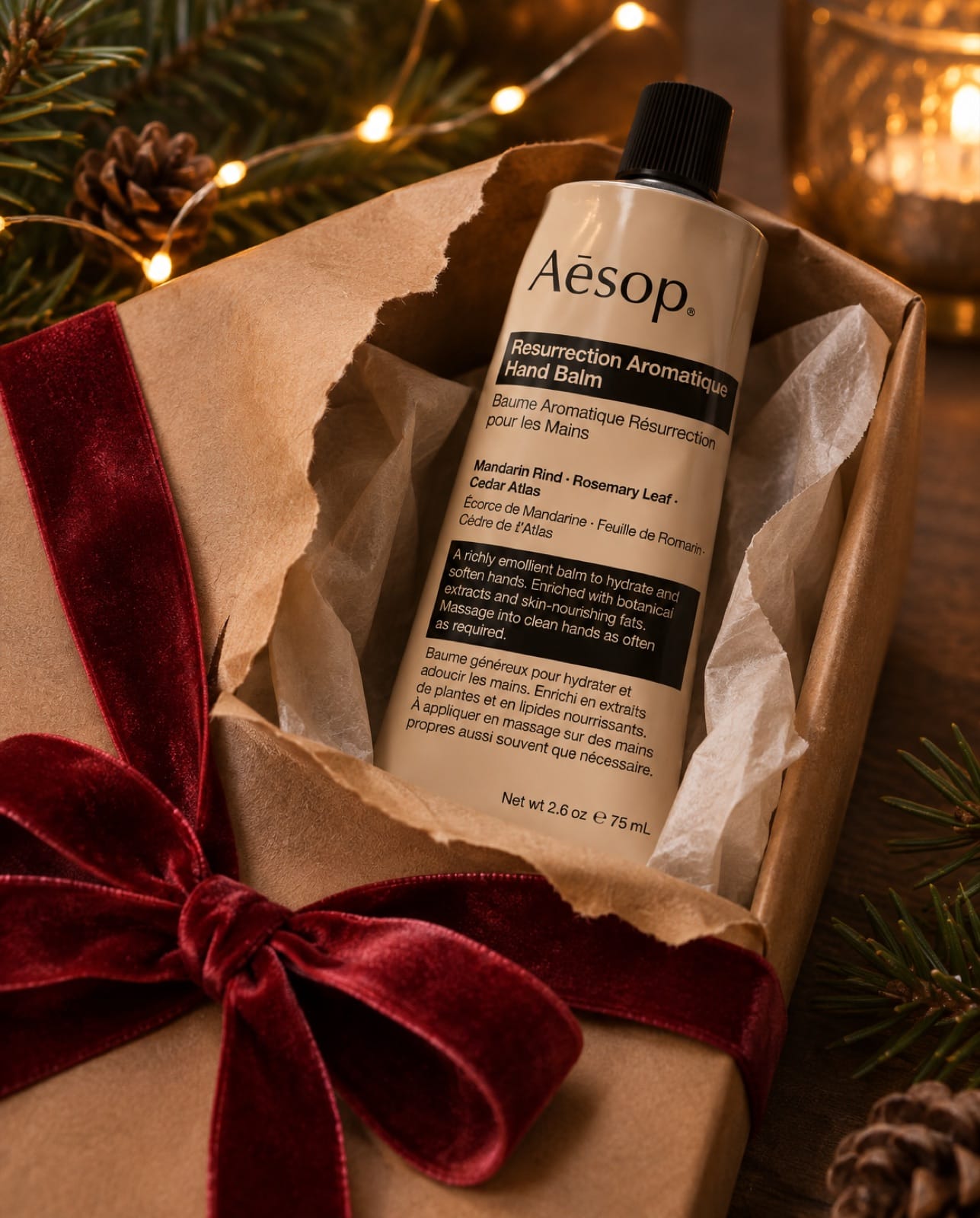
Holiday gift product photo: an Aesop Resurrection Aromatique Hand Balm tube peeking out of a half-unwrapped gift box with brown kraft paper and red velvet ribbon, pine sprigs and warm fairy-light bokeh in the background, cozy evening light, realistic photography, label legible.
8. Outdoor and adventure context
Take the product where your buyer uses it: the trail, the beach, the gym, the commute.
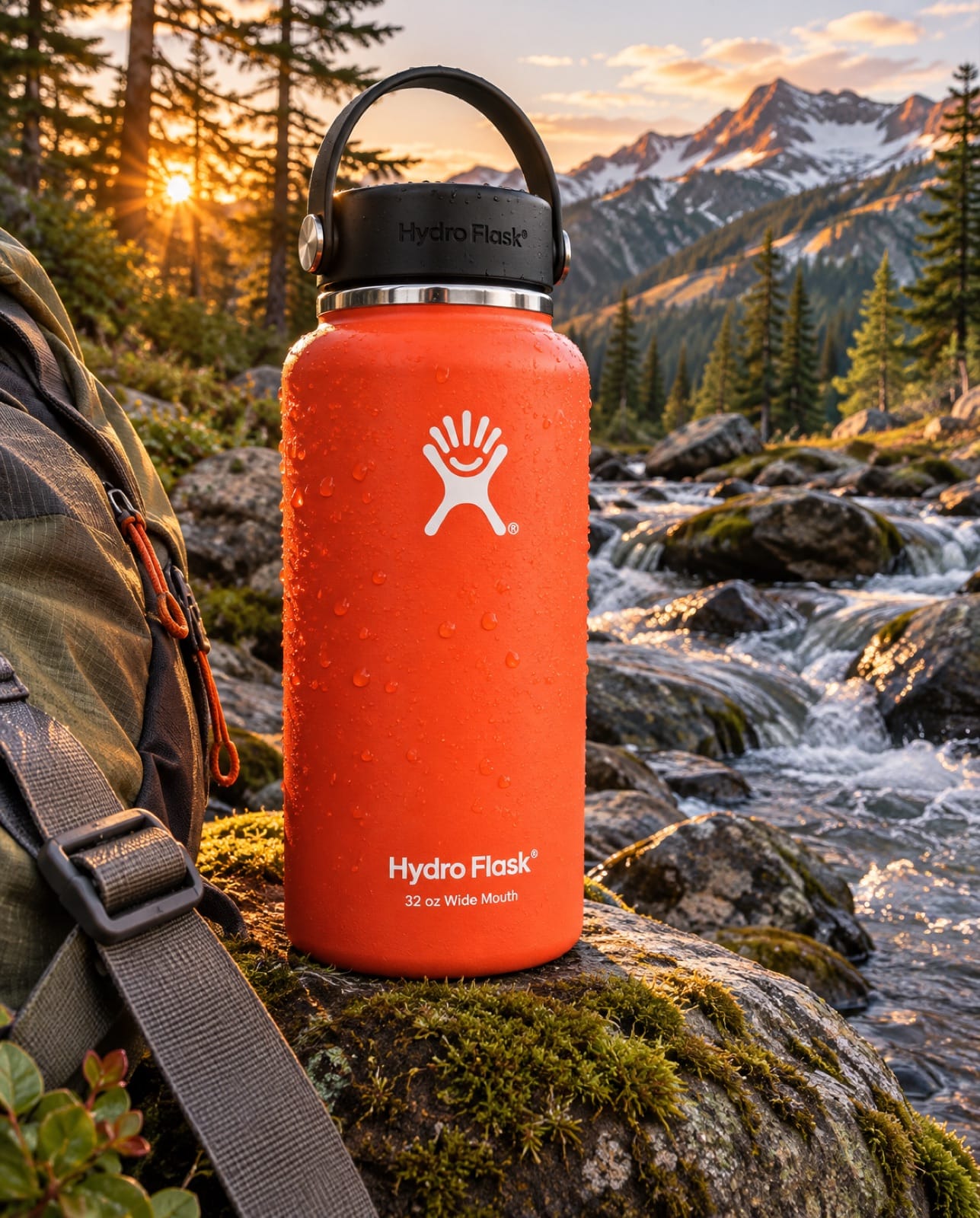
Outdoor product photo: a Hydro Flask 32 oz Wide Mouth bottle in a bright color resting on a mossy rock beside a mountain stream, hiking backpack strap in frame, golden hour light, water droplets on the bottle, realistic adventure photography, logo legible.
7 more product photo ideas
- Clean packshot. White or light grey background, even light, product fills 80% of the frame. Required for Amazon and most marketplaces.
- Before and after. The problem and the result side by side (messy vs organised, dull vs glowing). Only show results the product really delivers.
- Size comparison. The product next to a hand, a phone or a coin, so buyers know how big it is. This cuts returns.
- Unboxing. The box half open, tissue paper, the product inside. It sells the experience of receiving it.
- Group shot / collection. All colours or scents lined up. Great for "which one are you?" posts.
- Shadow play. Hard sunlight through leaves, blinds or a patterned screen across the product.
- Customer photo style. A casual phone photo of the product on someone's desk, bathroom shelf or car console. See our guide to AI UGC that doesn't look fake.
How to shoot these on a small budget
- Light: a big window with indirect daylight beats cheap studio lights. Add a white card on the other side to fill shadows.
- Camera: a recent phone is fine. Use the main lens (not wide) and tap to lock focus and exposure.
- Backgrounds: coloured card from a craft store, a linen sheet, a marble-look contact sheet.
- Consistency: pick one light direction and 2–3 brand colours and stick to them.
How to make them with AI
- Start from a real product photo. Upload 2–4 clear photos of your product (front, angle, label close-up) as references.
- Describe the scene, not the product. The reference handles the product; your prompt sets the surface, props, light and mood, like the prompts above.
- Name the light: "soft morning window light from the left", "hard summer sun", "golden hour".
- Generate 3–4 versions and check the label at full size before using one.
- Pick the right model. In our AI image generator test, GPT Image 2.6 and Kling Image 4 kept a real product's label correct; others garbled small text.
FAQ
What are good product photography ideas for Instagram?
Flat lays, in-use shots, colour blocking, giant-product scale play and floating ingredients all perform well on Instagram because they're bold and readable at a glance. Use a consistent look across posts.
How can I take professional product photos at home?
Use a large window for soft light, a white card to fill shadows, a simple coloured background, and your phone's main lens with focus and exposure locked. Keep the product filling most of the frame.
Can AI make product photos of my real product?
Yes, if you give it real photos of your product as references. Without references the model guesses your packaging; with 2–4 clear photos it keeps the shape, colours and label.
What's the most important product photo to have?
A clean packshot on a plain background for your product page and marketplaces. Then add context shots (in use, lifestyle, scale) for social and ads.
How many product photos do I need?
For a product page, 5–8: a packshot, 2–3 angles, a size comparison, and 2–3 in-use or lifestyle shots. For social, aim for a fresh context shot every week.
Mostly generates product photos like these from your own product photos, with formats such as flat lay, giant product, macro texture and in-hand UGC built in.