Best AI Image Generator for Product Photos: We Tested 6 Models (2026)
We gave six AI image models the same prompt for a real product, The Ordinary's Niacinamide serum, and compared the results side by side. Two got the label right. One invented an ingredient. Here's which to use for what.
 Moss6 min read
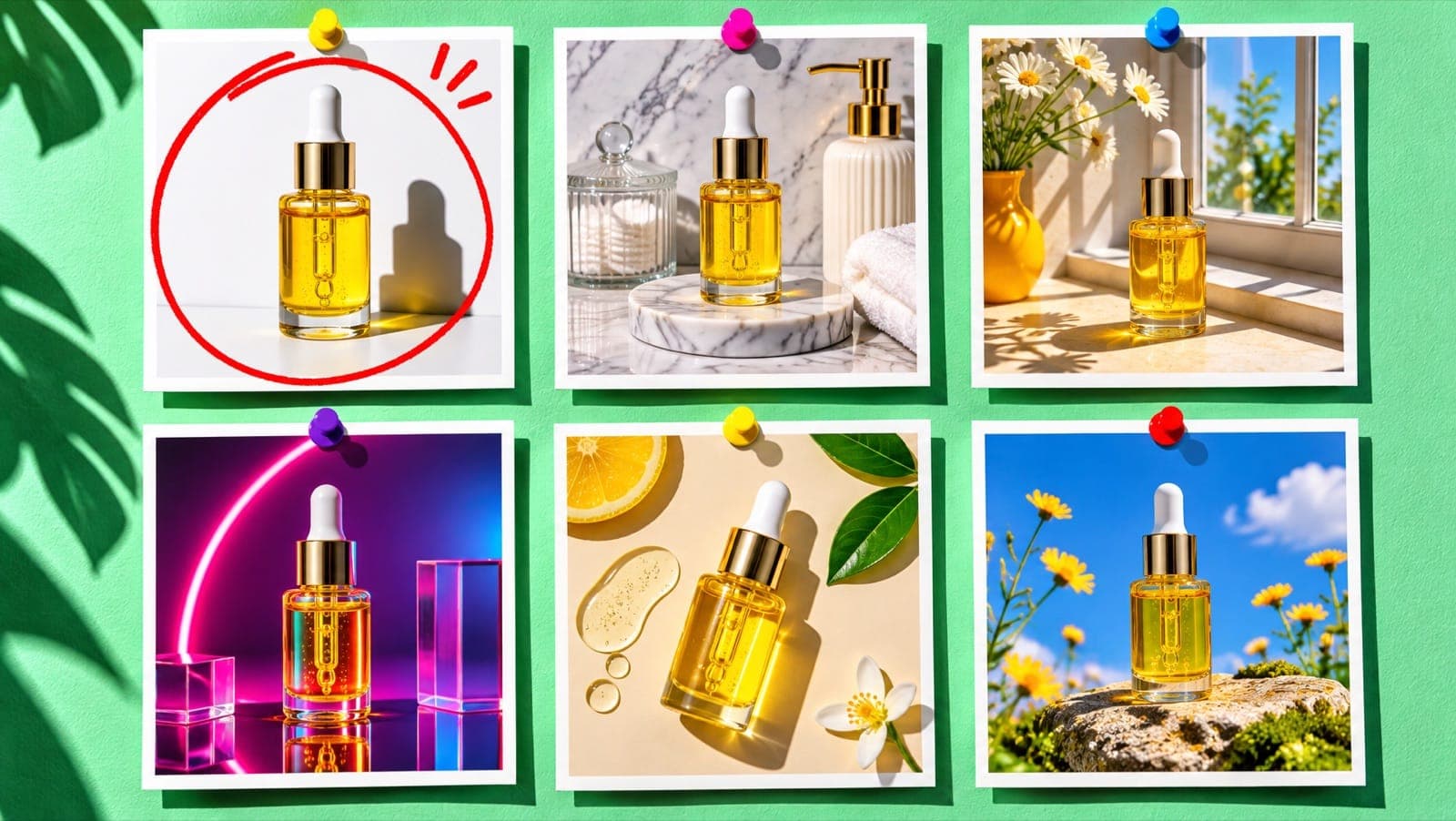
The best AI image generator for product photos in our November 2026 test was GPT Image 2.6, with Kling Image 4 a close second: given the same prompt for a real product, both reproduced the label text correctly and kept the bottle accurate. Seedream 5.5 and both Nano Banana models got the brand name right but garbled the small print, and MiniMax H3 changed the dropper colour and invented an ingredient. For your own products, always add your real product photos as reference images.
Key takeaways
- Most accurate labels: GPT Image 2.6 (every line correct) and Kling Image 4 (correct, even added the right "30ml" line).
- Best value for backgrounds and lifestyle scenes: Seedream 5.5, at half the credits of GPT Image 2.6.
- Most "editorial" look: Nano Banana Pro, with a film-like grade, but the small label text was unreadable and it cost the most.
- Avoid for branded packshots: MiniMax H3, which invented a "Glycolic Acid" line and gave the bottle a black dropper.
- Text-only prompts make the model guess your packaging. Reference photos of your real product are what make AI product photos usable.
How we tested
We picked a product almost everyone in skincare knows: The Ordinary Niacinamide 10% + Zinc 1%, a small glass dropper bottle with a white cap and a minimal white label. Then we sent the exact same prompt to six models in Mostly:
Lifestyle product photo of The Ordinary Niacinamide 10% + Zinc 1% serum, a small clear glass dropper bottle with a white minimalist label, standing on a white marble bathroom shelf next to a folded sage towel and a small green plant, soft morning window light from the left, shallow depth of field, clean premium skincare ad look, the label text legible.
Test conditions, so you can repeat it:
- One attempt per model. No cherry-picking.
- No reference image. This tests what each model knows about a real product on its own.
- Prompt enhancement off, so every model got identical words.
- 4:5 portrait where supported (Seedream 5.5 and Kling Image 4 don't offer 4:5, so they rendered 3:4).
We judged four things: label accuracy, product accuracy (shape, cap, colour), prompt adherence (marble, sage towel, plant, light from the left), and whether it looks like a real photo.
The results, side by side
GPT Image 2.6: the most accurate label
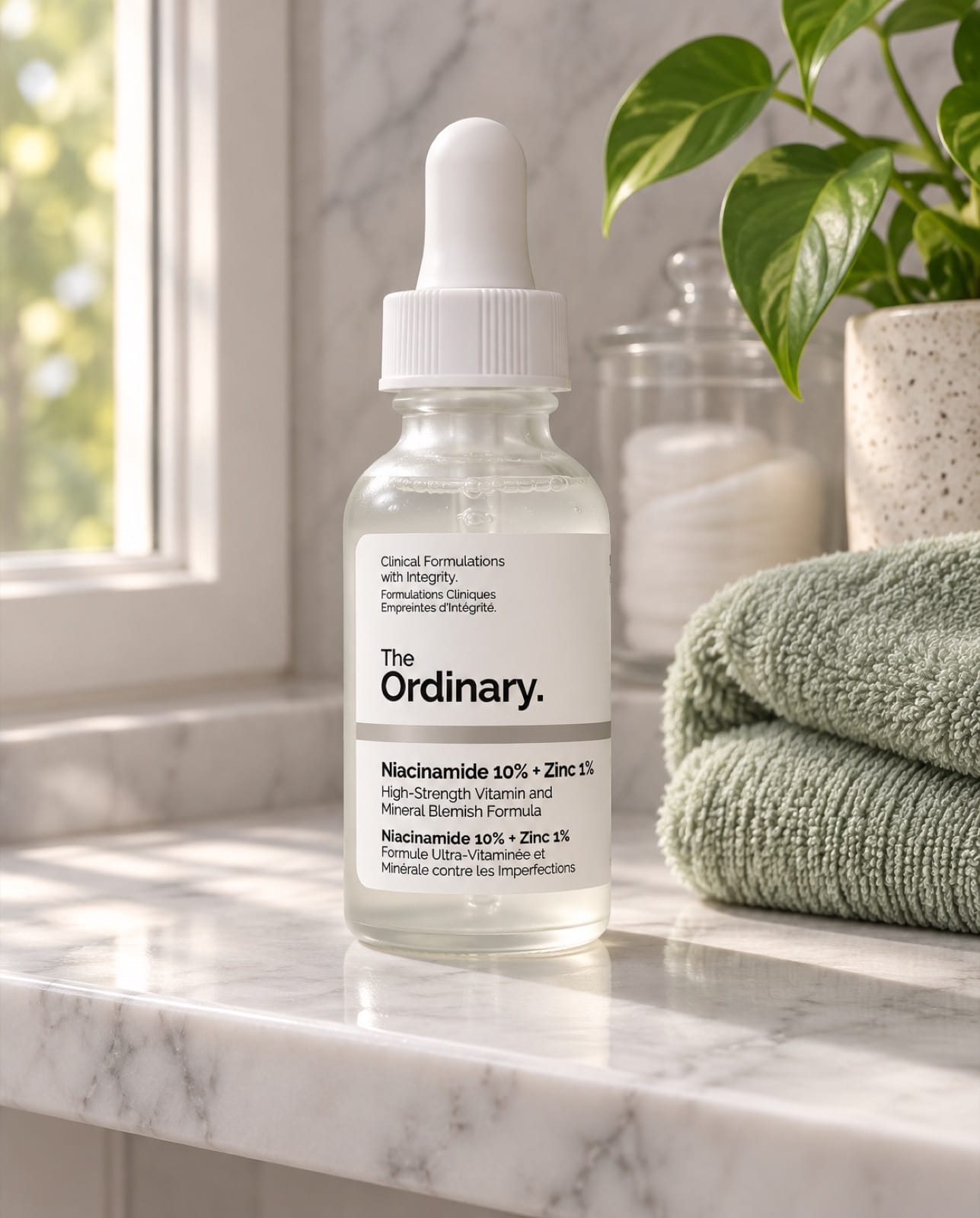
Every line of the label is correct and readable, including the French text. White dropper cap, clear glass, sage towel, plant, light from the left: it followed the whole prompt. It looks like a real ad shot. If the label has to be right, this is the one.
Kling Image 4: just as accurate, slightly cleaner
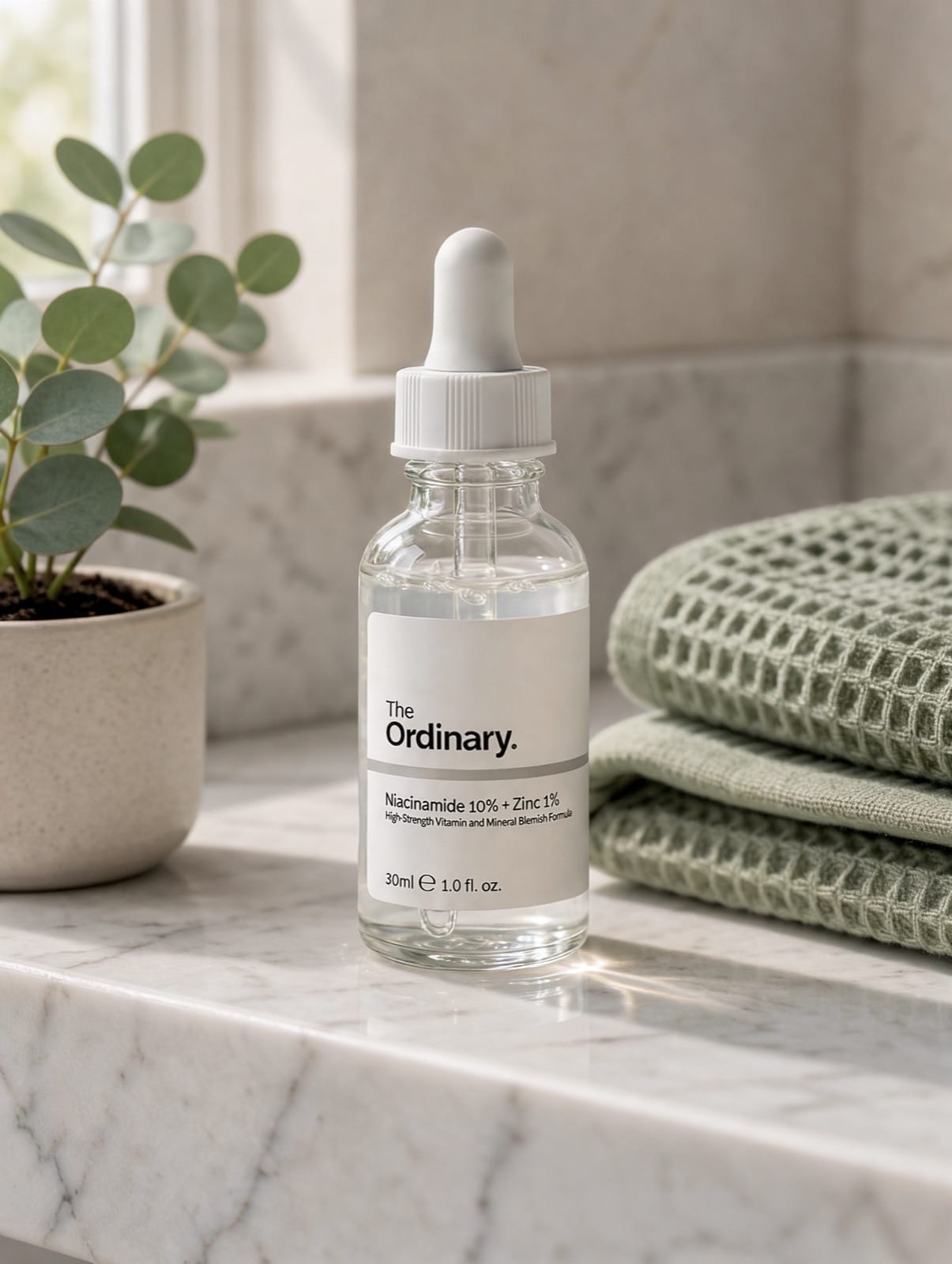
Label correct, and it added the "30ml / 1.0 fl. oz." line that's on the real bottle. Crisp glass, believable reflections. It swapped the towel for a waffle weave and the plant for eucalyptus, which is fine. It rendered at 2K by default, which costs a little more.
Seedream 5.5: the best value
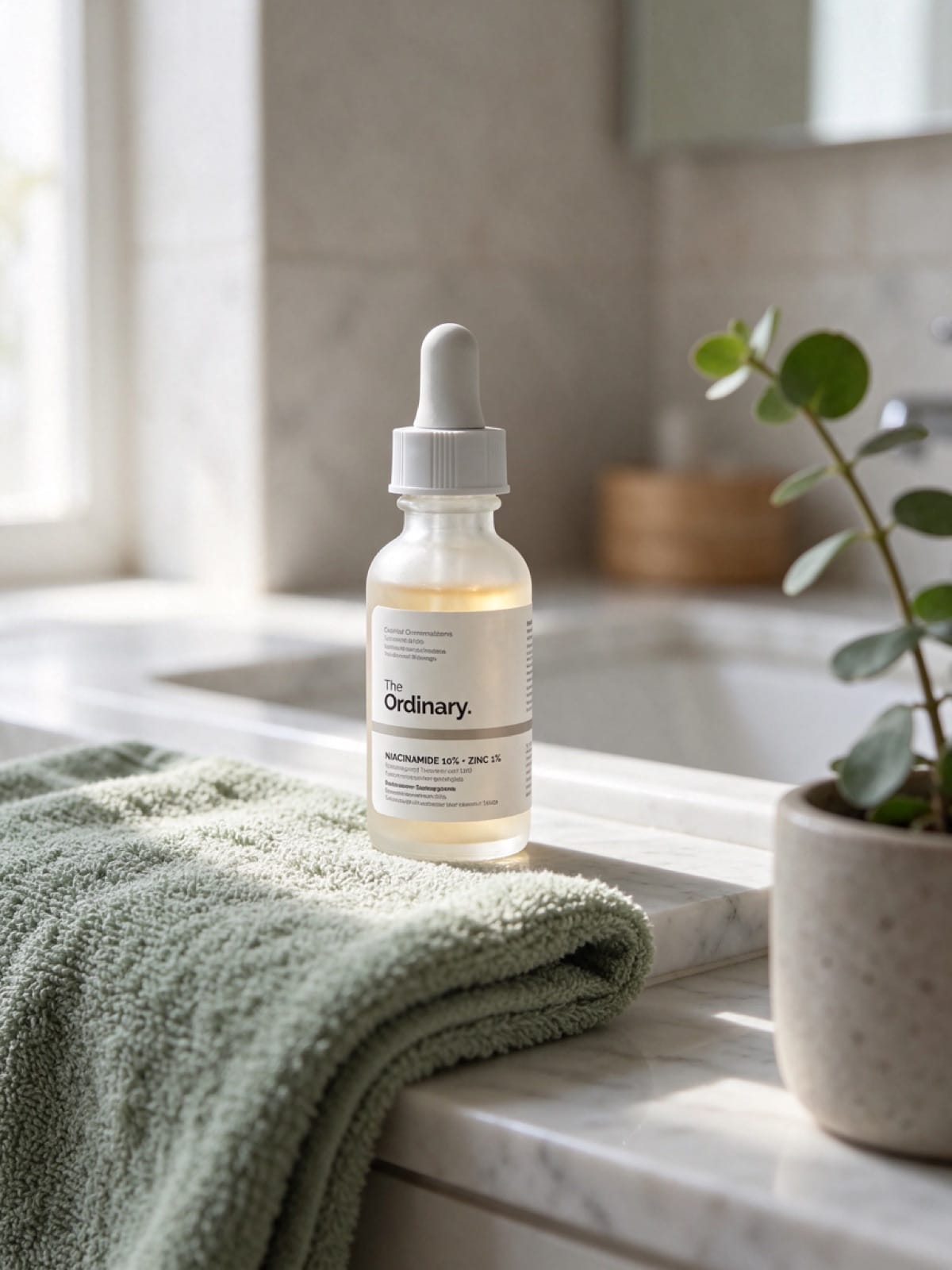
Brand and product name right; the small print underneath is gibberish if you zoom in. Lovely soft light and a natural bathroom scene. At 4 credits it's half the price of GPT Image 2.6, which makes it a good choice for backgrounds and lifestyle scenes where you'll add your real product photo or fix the label afterwards.
Nano Banana 2.1: good scene, wrong numbers
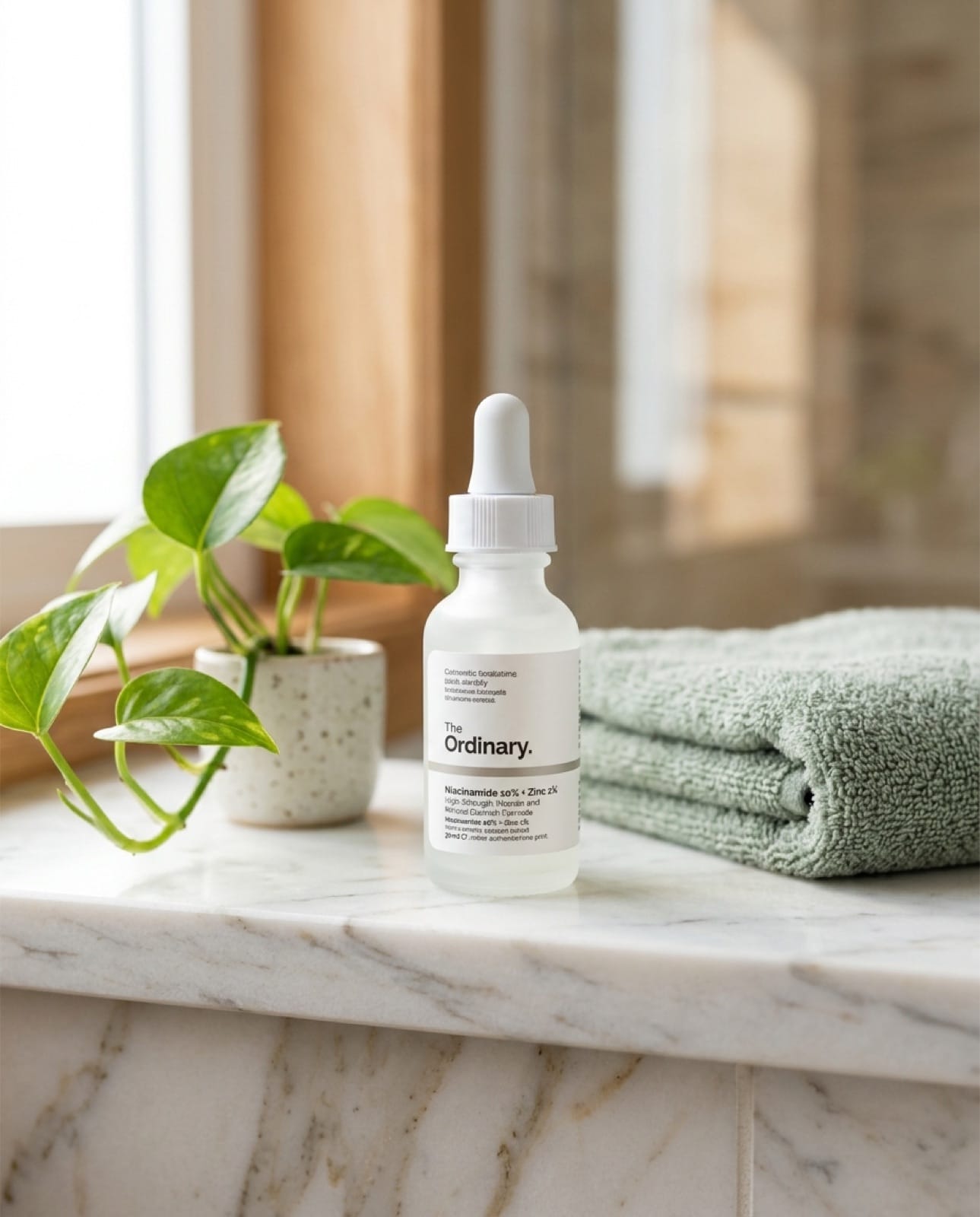
Nice composition and light, but the label says "Zinc 2%" instead of 1%, and the small print is garbled. The product is small in the frame. Fine for a mood shot, not for an ad where the claim has to be right.
Nano Banana Pro: the most editorial
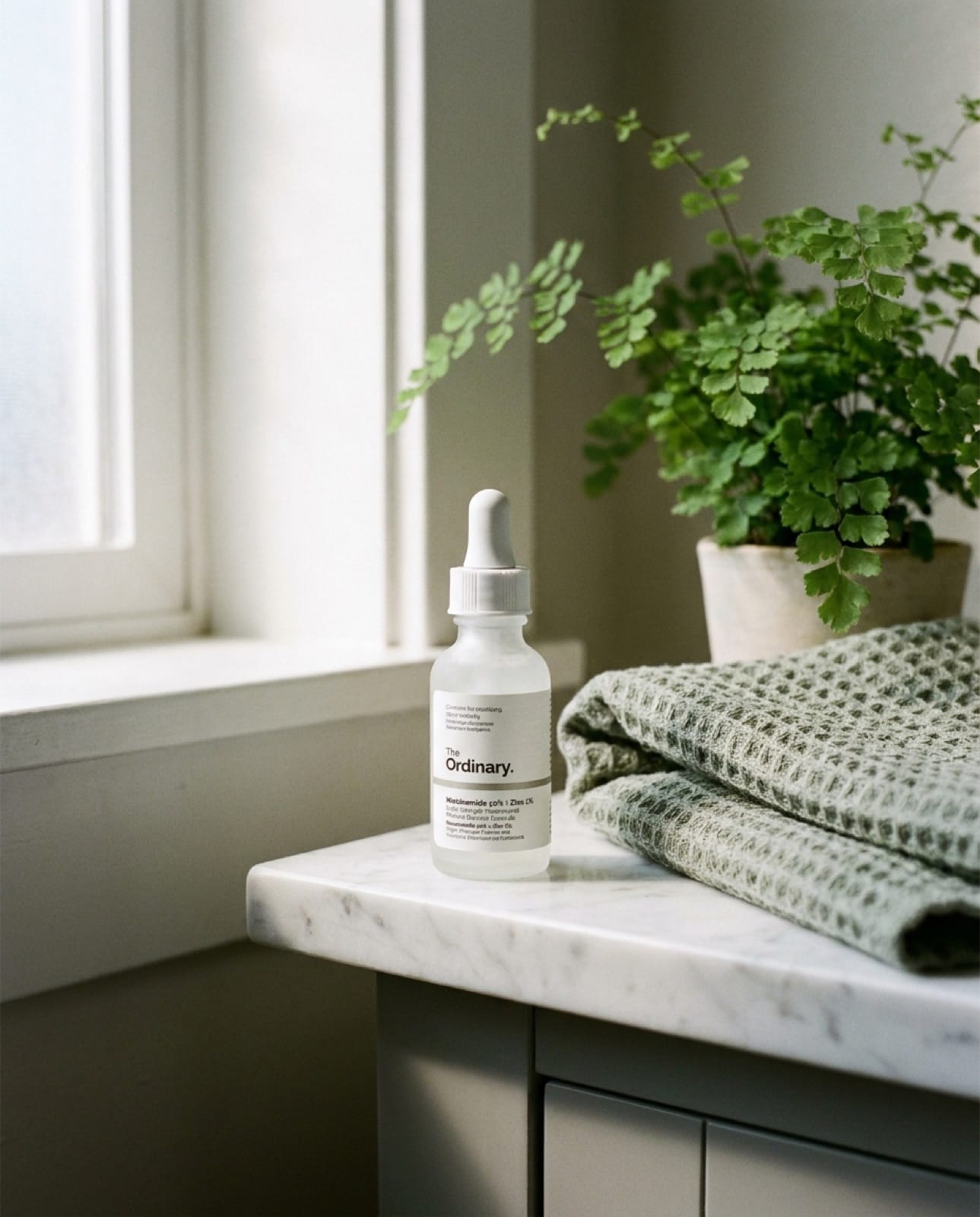
The most "shot on film" look of the six: natural window light, a soft grade, a believable room. The product name is garbled and the bottle is small in the frame. It was also the most expensive (15 credits). Use it for brand-mood imagery, with a reference photo for the product.
MiniMax H3: wrong product details
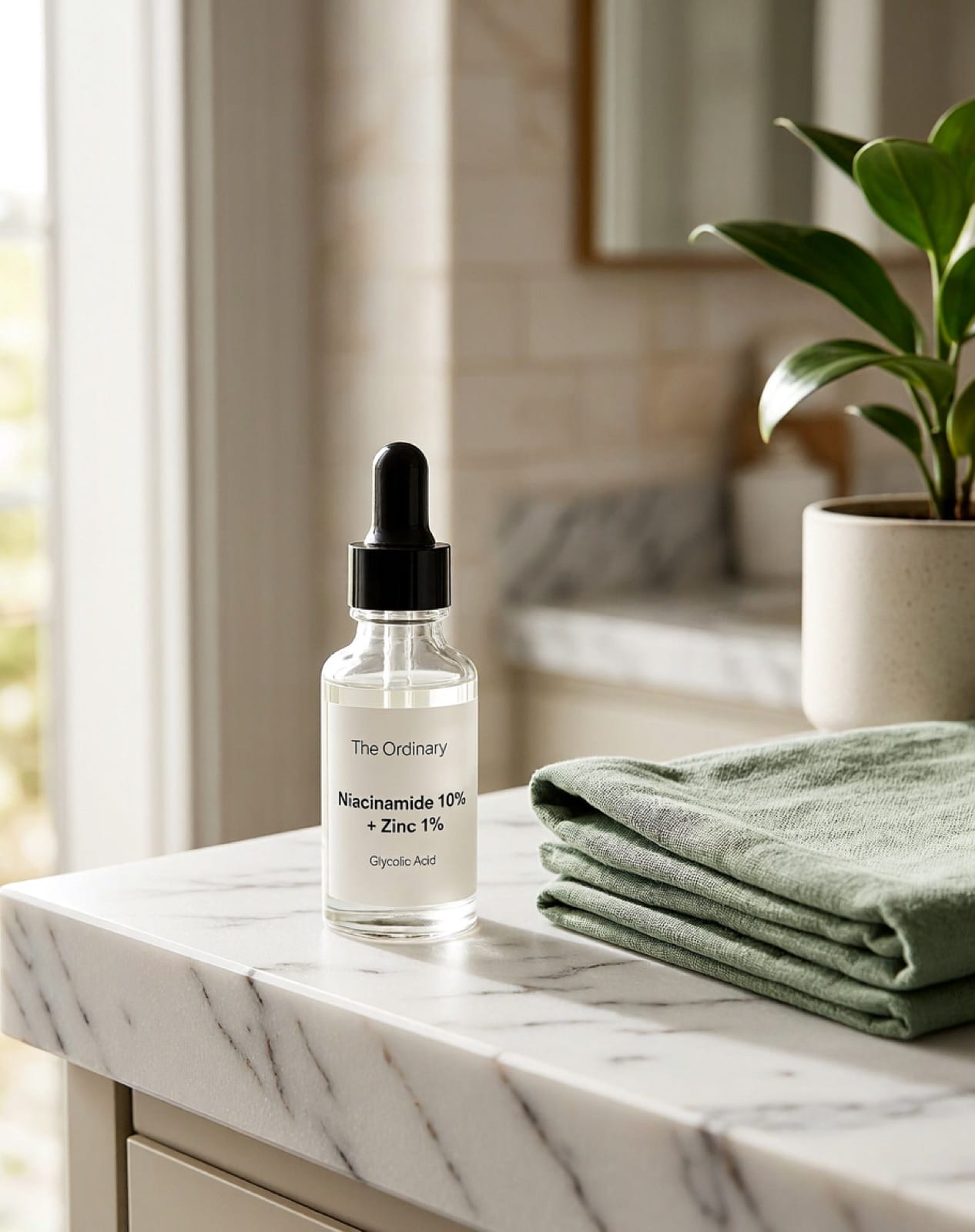
The scene is pretty, but the product is wrong: a black dropper instead of white, a generic font, and a "Glycolic Acid" line that isn't on the real product. Inventing an ingredient is the kind of mistake that gets an ad rejected or confuses a buyer.
Scorecard
| Model | Label accuracy | Product accuracy | Followed the prompt | Looks real | Credits in Mostly |
|---|---|---|---|---|---|
| GPT Image 2.6 | ★★★★★ | ★★★★★ | ★★★★★ | ★★★★☆ | 8 |
| Kling Image 4 | ★★★★★ | ★★★★★ | ★★★★☆ | ★★★★★ | 9 (2K) |
| Seedream 5.5 | ★★★☆☆ | ★★★★☆ | ★★★★☆ | ★★★★★ | 4 |
| Nano Banana 2.1 | ★★☆☆☆ | ★★★★☆ | ★★★★★ | ★★★★☆ | 8 |
| Nano Banana Pro | ★★☆☆☆ | ★★★★☆ | ★★★★☆ | ★★★★★ | 15 |
| MiniMax H3 | ★☆☆☆☆ | ★★☆☆☆ | ★★★★☆ | ★★★★☆ | 4 |
Which AI image generator should you use?
| Job | Use | Why |
|---|---|---|
| Ads and product pages where the label must be right | GPT Image 2.6 or Kling Image 4 | Correct text, accurate packaging |
| Lots of lifestyle backgrounds on a budget | Seedream 5.5 | Half the cost, great light |
| Brand mood and editorial imagery | Nano Banana Pro | Most natural, film-like look |
| Carousel slides with text on them | GPT Image 2.6 | Renders headlines exactly as written (we used it for our TikTok slideshow example) |
How to get accurate AI photos of your own product
Our test used a famous product with no reference image. Your product isn't famous, so a text prompt alone will make the model invent the packaging. To get usable shots:
- Upload 2–4 real photos of your product as reference images: front, angle, and a close-up of the label.
- Describe the scene, not the product. The reference covers the product; the prompt sets the surface, props, light and mood.
- Name the light direction and time of day ("soft morning light from the left"). It's the fastest way to make a shot look like a photo.
- Generate 3–4 variations and pick the best, then check the label at full size before you use it.
- Keep a prompt you like and reuse it across products so your feed looks consistent.
In Mostly, add your products once and they're used as references automatically every time you generate.
For a closer look at OpenAI's two 2.6 variants, see our GPT Image 2.6 Sunburst vs Flare test. Next steps: turn these into product photos in 15 different styles, UGC-style images that don't look fake, or AI product videos.
FAQ
What is the best AI image generator for product photos?
In our test, GPT Image 2.6, with Kling Image 4 a close second. Both reproduced a real product's label correctly. For backgrounds and lifestyle scenes on a budget, Seedream 5.5 is the best value.
Can AI image generators put readable text on products?
The best ones can. GPT Image 2.6 and Kling Image 4 got every word right in our test; the others got the brand name but garbled the small print.
Can I use AI product photos in ads?
Yes, as long as the product shown is accurate and the claims are true. Check labels, ingredients and colours at full size, since some models invent details (MiniMax H3 added an ingredient in our test).
Do I need to upload photos of my product?
For your own products, yes. Without reference photos the model guesses what your packaging looks like. With 2–4 clear photos it keeps the shape, colours and label.
How much do AI product photos cost?
In Mostly, one image costs 4–15 credits depending on the model, far below the cost of a studio shoot for each new scene.
Want to run this test on your own product? Mostly has all six models in one place and uses your product photos as references automatically.